- Kiroは、AWS製AIエージェント搭載のIDE
- コード補完のみならずデプロイまで一気通貫で可能
- Remote MCP・CLI・カスタムサブエージェントなど機能拡張が進行中
2025年7月14日、AWSからAIエージェント搭載のIDEが公開されました!
新たに公開された「Kiro」はコード補完に留まらず、要件定義から設計・実装・テスト・デプロイまでをAIエージェントと共に進めることが可能。
本記事では、AWSが公開した「Kiro」について概要から、導入手順、実際の使い方について解説をします。最後まで読むことでKiroを使ってデプロイまで進めることができるようになります。
\生成AIを活用して業務プロセスを自動化/
Kiroとは?
Kiroとは、AWSが2025年7月に公開したAIエージェント搭載のIDE。従来のAIコーディングアシスタントとは一線を画すIDEです。
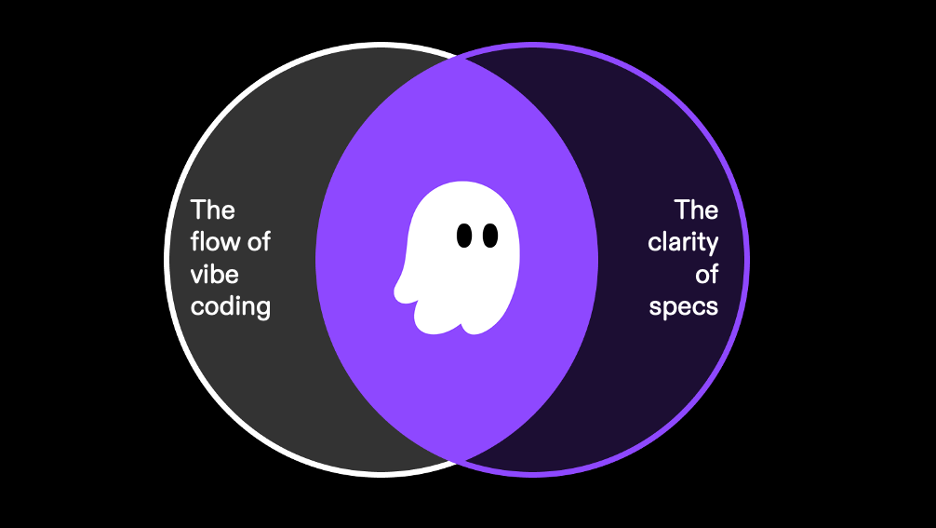
特徴として、Spec‑driven Development(仕様駆動開発)が中心になっています。KiroはSpecs(仕様生成と要件管理)とHooks(イベントトリガー型の自動化)の2つに分けられます。
Specsは、例えば「商品のレビュー機能を追加して」と1行入力すると、KiroがEARS形式で受け入れ基準付きのユーザーストーリーを自動生成できます。さらにコードを解析し、TypeScriptのインターフェース・データフローダイアグラム・DBスキーマ・API設計を含む技術設計書を出力することもできます。
なお、Specsはタスクと同期していて、コード変更に応じて更新・再生成が可能です。
Hooksはファイルの保存・作成・削除時、あるいは手動トリガーでエージェントが自動でテスト更新・README修正・セキュリティチェックなどを実施します。


KiroのGA後に追加された主な新機能
2025年11月のGA以降、Kiroは継続的にアップデートされています。主な追加機能は以下の通りです。
| 機能名 | 概要 |
|---|---|
| Auto agent | タスクごとに最適なモデルを自動選択し、コストと品質を両立するエージェント |
| Kiro CLI | ターミナルからKiroのエージェント機能を利用できるコマンドラインツール。macOS・Linux対応 |
| Remote MCP | ローカルインストール不要でクラウド上のMCPサーバーに接続可能 |
| Global Steering | ワークスペース横断でコーディング規約やアーキテクチャルールを適用 |
| Checkpointing | AIの変更を任意の時点に巻き戻せるバージョン管理機能 |
| カスタムサブエージェント | 独自の専門エージェントを定義し、並列タスク処理が可能 |
| Open Weight Models | オープンウェイトモデルの選択が可能に(IDE・CLI両対応) |
| ドキュメント添付 | チャットにPDF・CSV・DOCXなどを添付してAIに読み込ませることが可能 |
| Multi-root Workspace | 複数プロジェクトフォルダを1つのワークスペースで管理 |
| Enterprise管理 | IAM Identity Center連携、MCP許可リスト、拡張機能の集中管理 |
Kiroのメリット
Kiroは、Vide CodingとSpec-drivenという2つのモードを備えており、従来のAIツールでは「すぐに動くコードを作ることはできるが、持続可能性がない」という課題がありました。
しかし、Kiroは持続可能性の部分、つまり設計・保守・チーム知識共有・標準化・セキュリティまで網羅しているため、個人開発者にとっては、仕様の言語化や整理の手間を省きつつ、高品質なアプリ開発が支援されます。また、チーム開発においては、共通理解・標準化・引き継ぎ(特に中堅・上級エンジニアの知見の形式知化)を自動化する装置でもあり、プロダクトマネージャーや設計者にとっては、要件と実装の整合性チェックや進捗可視化のツールとなり得ます。
Kiroの活用事例
GA後はAutoエージェントの導入やモデルの刷新により、プレビュー期に指摘されていた実装速度の課題にも改善が進んでいます。ここからは、Kiroの活用事例をご紹介します。
KiroとClaude Codeの併用で仕様と実装を分担
KiroのSpecモードで仕様書を作成し、実装はClaude Codeに任せるという使い分けが注目されています。
・Kiroは対話形式で詳細な仕様書を作れるが、実装速度が遅い
— 鹿野 壮 Takeshi Kano (@tonkotsuboy_com) July 16, 2025
・Claude Codeは爆速開発ができるが、正確な指示出しが難しい
2つの組み合わせで、質と速度の両取りができて最高だったKiroの実装計画をClaude Codeに読み込ませたら、タスクを理解して最後まで実装してくれた
https://t.co/s9oPMp6bv6 pic.twitter.com/E6A4f5mHMw
Kiroは対話形式でRequirement・Design・Taskを自動生成できる一方、GA以前は実装速度に課題がありました。そこでClaude Codeの高速なコード生成と組み合わせることで、仕様の精度と実装のスピードを両立させるワークフローが生まれています。
GA後はKiro単体でも実装速度が改善されていますが、大規模なリファクタリングや複雑な推論が必要な場面では、引き続きClaude Codeとの併用が有効です。
電通デジタルがKiroで開発速度10倍を達成
電通デジタルは、AWSの生成AI Frontier Meetupにおいて、Kiroを用いたデモ開発プロジェクトで通常の10倍以上の開発速度を達成したと報告しています。※3
このプロジェクトでは、KiroのSpec駆動開発によって要件定義から実装までの工程を大幅に短縮。従来は複数人で数日かかっていた作業を、Kiroのエージェントがタスクを自動分解・実行することで、短期間での完成を実現したそうです。
企業レベルでの導入実績として、Kiroが単なる個人ツールにとどまらず、チーム開発の生産性向上にも寄与することが確認できる事例です。
AWS系のAI開発ツールについて詳しく知りたい方は、下記の記事をあわせてご確認ください。

Vibe Codingモードでプロトタイプを高速構築
Kiroには、仕様を細かく定義せずにプロンプトだけで素早くプロトタイプを作れるVibe Codingモードがあります。本記事の検証でも「モダンで動的なピラティススタジオのLPを作成してください」という1行のプロンプトから、レスポンシブ対応のランディングページが生成されました。
上記の投稿のように、Kiroを日本語環境で利用している方も増えています。Steeringファイルに日本語指定を記述すれば、AIの応答も日本語になるため、英語に不慣れな方でもスムーズにVibe Codingを活用できます。
アイデア段階のプロトタイプ作成や、クライアントへのデモ用モックアップの構築など、スピード重視の場面で特に有効です。
Vibe Codingの考え方やローカル環境での活用について詳しく知りたい方は、下記の記事をあわせてご確認ください。
Kiroの構成・仕組み
Kiroの構成は大きく分けて次の5つに分かれます。
| 項目 | 内容 |
|---|---|
| IDE本体 | Code OSS(VS CodeのOSS版)をベースに構築されたAI対応IDE。VS CodeプラグインやUIも使用可能。 |
| Specエンジン | プロンプトからEARS形式のユーザーストーリーや技術設計(DB、API、UI構造など)を自動生成。 |
| Hooksシステム | イベント駆動型の自動化トリガー。ファイル保存・作成などに応じてテスト更新やコードチェックなどを実行。 |
| Agent実行 | 各種AIエージェントが、spec・hookに従ってコードやドキュメントを生成・修正。LLMと対話・実行ログも保持。 |
| コード同期・トレーサビリティ管理 | スペック・タスク・コードが常に動悸され、差分の可視化・履歴管理・チェックリストなどを提供。 |
このように、Kiroは単なるコード補完ツールではなく、仕様策定からコード生成・品質管理までを1つのIDE内で完結させる構成になっています。特に、SpecエンジンとHooksシステムの連携が、他のAI IDEにはないKiro独自の強みです。
技術スタック
技術スタックについては、全てが公開されているわけではないので、一部推測にもなりますが、いくつか紹介します。
まずベースになるCode OSSに関しては、Electronが使用されていると推測できます。また、既存のVS code設定を引き継ぐことも可能。
プロンプトからのSpec生成やコード生成、Hooks実行にはLLMが使われています。2026年3月時点で選択可能な主なモデルは以下の通りです。
| モデル名 | 特徴 |
|---|---|
| Auto(デフォルト) | タスクに応じて最適なモデルを自動選択 |
| Claude Sonnet 4.6 | 高速かつ高品質なコード生成向けモデル |
| Claude Opus 4.6 | 最高精度で複雑な推論やリファクタリングに強い |
| Claude Opus 4.5 | Opus 4.6の前世代モデル |
| Claude Haiku 4.5 | 軽量かつ高速で単純なタスクやサブエージェント向け |
Autoモードでは、Sonnetで直接実行した場合と比べてクレジット消費が効率的になるケースもあるため、コストを抑えたい方はAutoがおすすめです。
kiroの設計思想が超良さそう
— ML_Bear (@MLBear2) July 16, 2025
「仕様書書いてClaude Codeに見せて、Plan Modeで一緒に計画書作って、それからTODO作って〜」って流れをデフォルトでビルトインしたIDEて感じらしい。
まだ使えるモデルがSonnetの3.7 or 4だけとのことなので自由度増したら試してみたいhttps://t.co/af1RkK1kr9

KiroはModel Context Protocolもサポートしており、外部ツール連携やプロジェクト全体を対象としたAI行動ルール(steering rules)にも対応。
Kiroの料金体系
Kiroは2025年11月のGA以降、以下の4プランを提供しています。※2
| プラン | 月額(税抜) | クレジット数 / 月 | 主な特徴 |
|---|---|---|---|
| Free | 無料 | 50 | 個人利用・お試し向け。初回500ボーナスクレジット(30日間有効)付き |
| Pro | 20ドル | 1,000 | 個人開発者向け。全モデル利用可。超過分は1クレジット0.04ドル |
| Pro+ | 40ドル | 2,000 | ヘビーユーザー向け。Proの全機能に加えクレジット増量 |
| Power | 200ドル | 10,000 | チーム・企業向け。大規模開発に対応 |
クレジットはプロンプトへの応答単位で消費されます。シンプルなプロンプトは1クレジット未満で済む一方、Specタスクの実行など複雑な処理では1クレジット以上かかります。
Kiroの導入手順
では実際にMacでKiroを導入していきます。本記事では、インストール→セットアップ→プロンプト入力→動作確認という流れで解説をしていきます。
インストール
まずはKiroをダウンロード・インストールしましょう。こちらのリンクからダウンロード可能です。
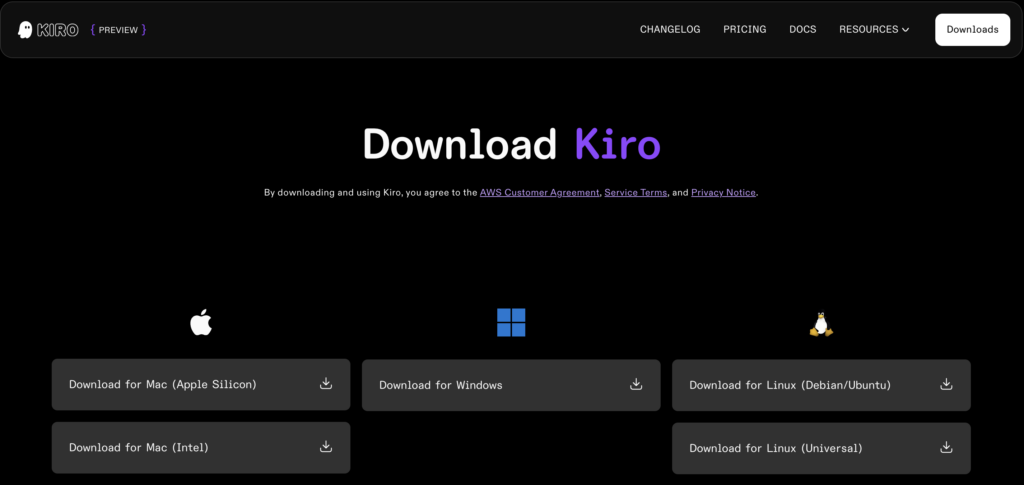
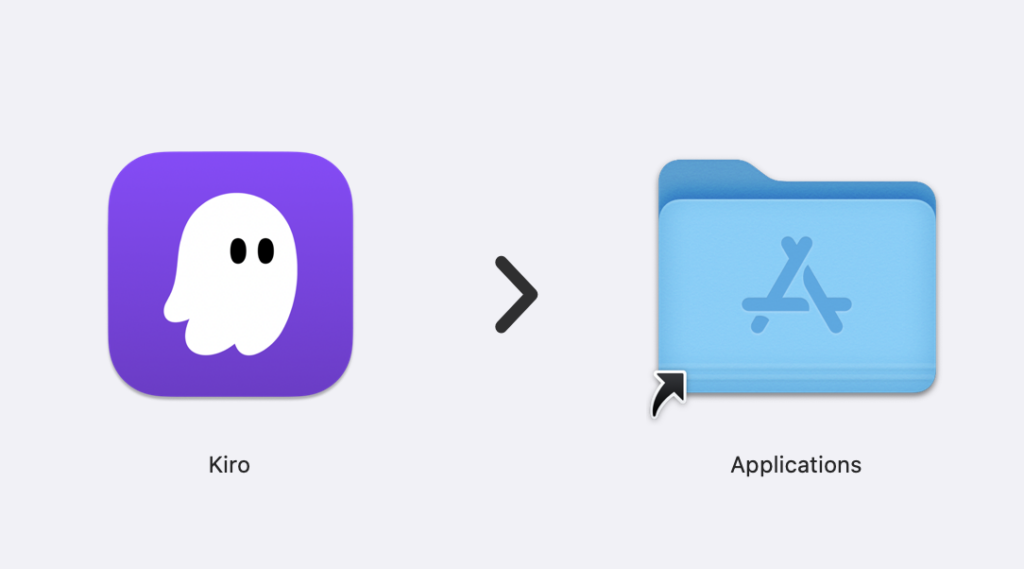
ダウンロード後はお使いのデバイスの手順に沿ってインストールすればOKです。
セットアップ
インストールが完了し、起動するとこのような画面になります。
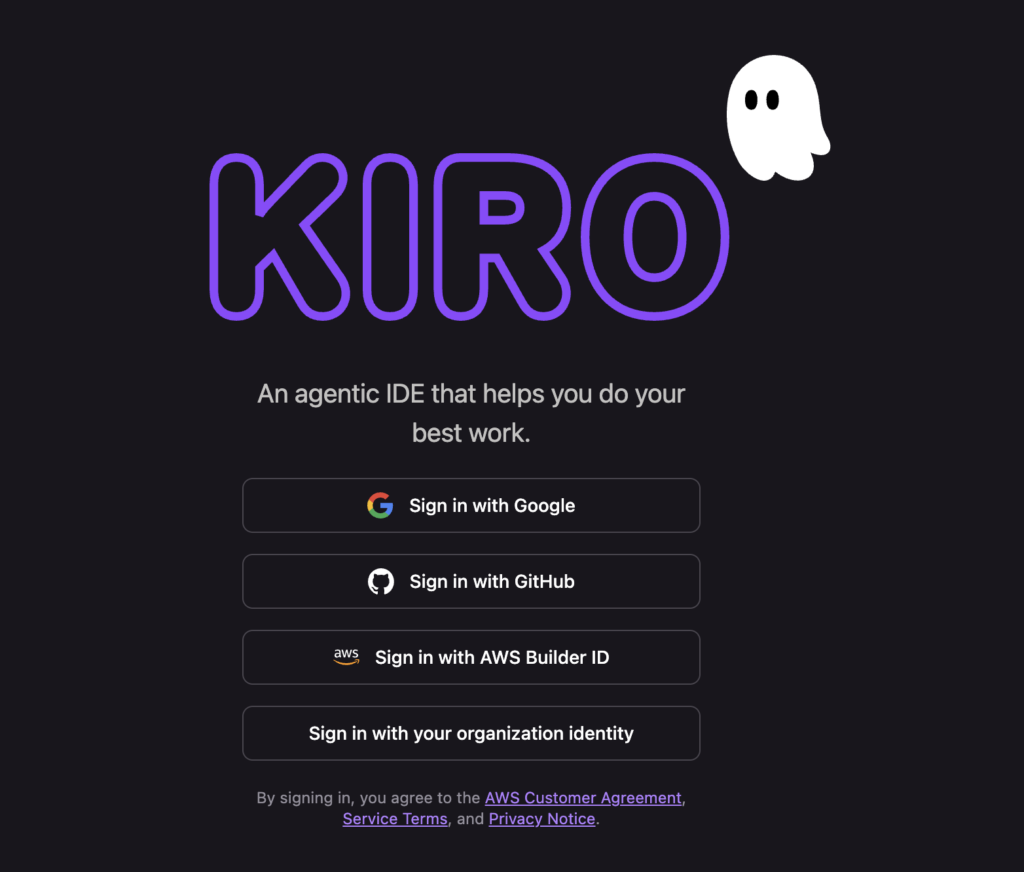
お好きなアカウントでサインインしましょう。
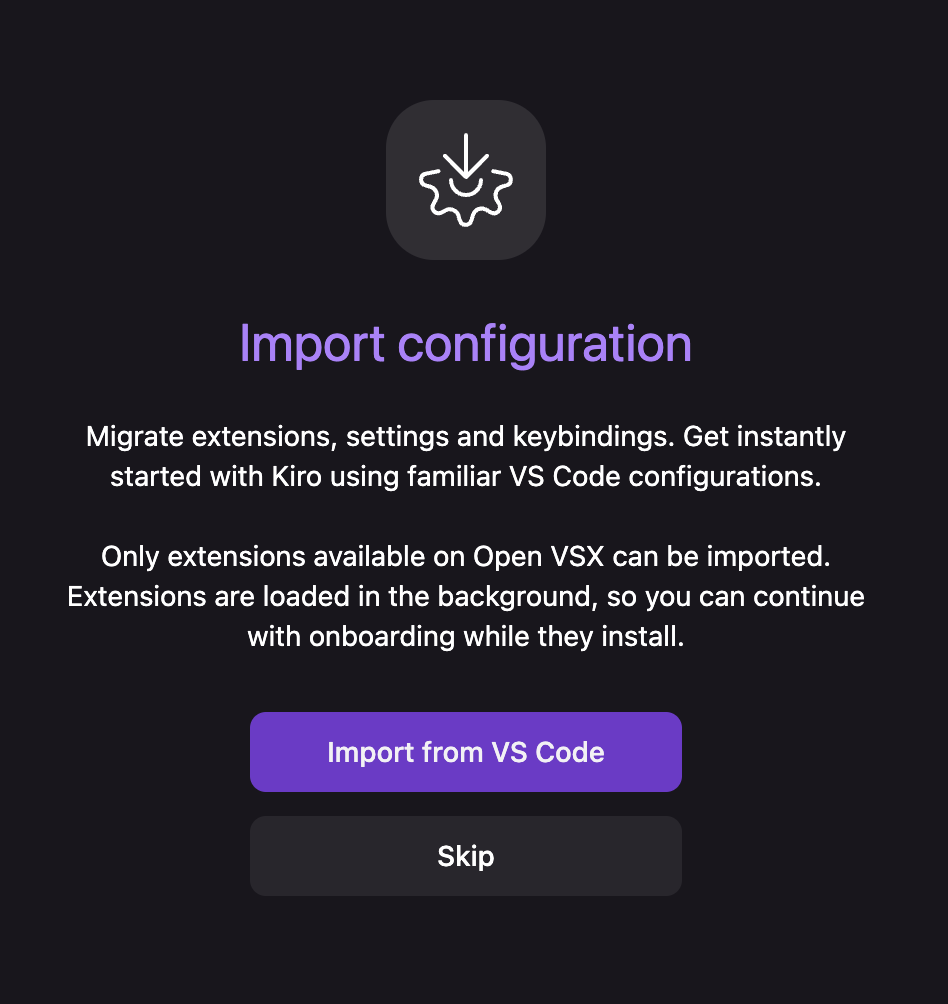
VS Codeの構成をインポートするか聞かれるので、これまでVS Codeを使っていた方はインポートしておきましょう。
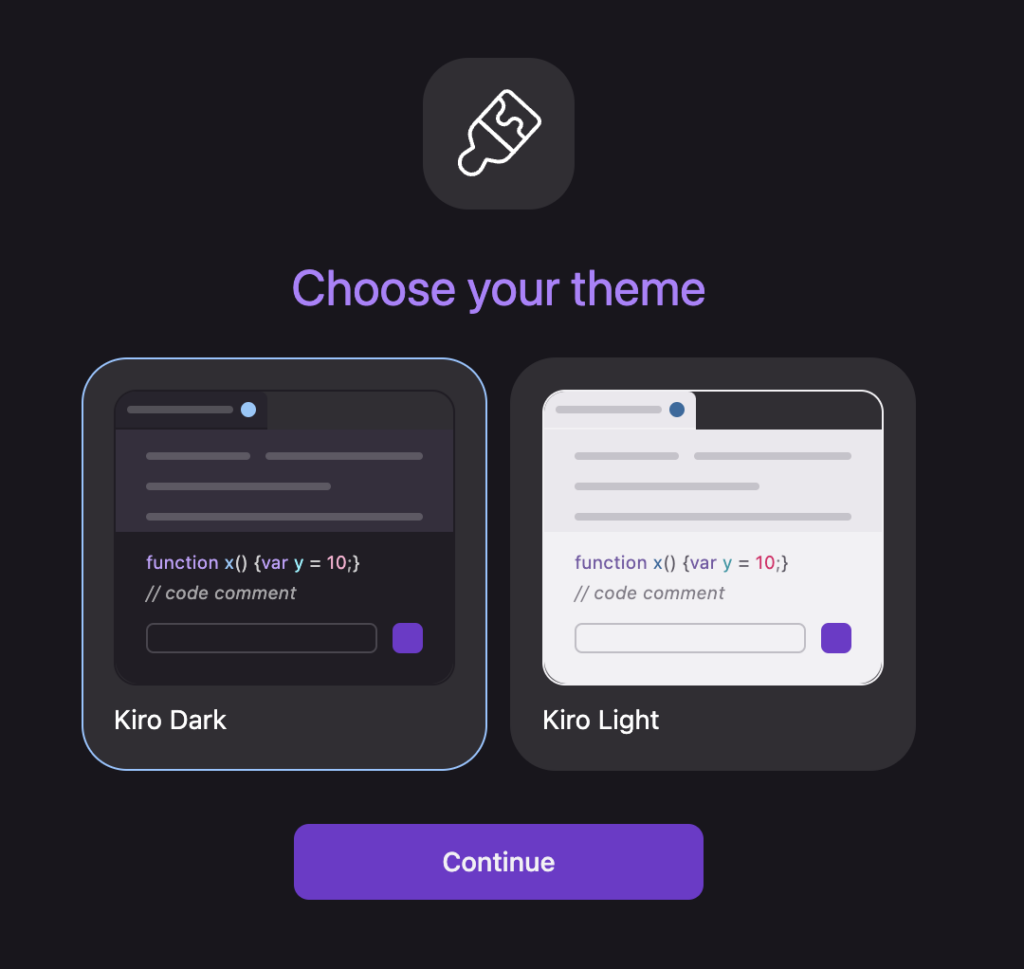
インポートが終わったらテーマの設定です。お好きな方を選んで次に行きます。
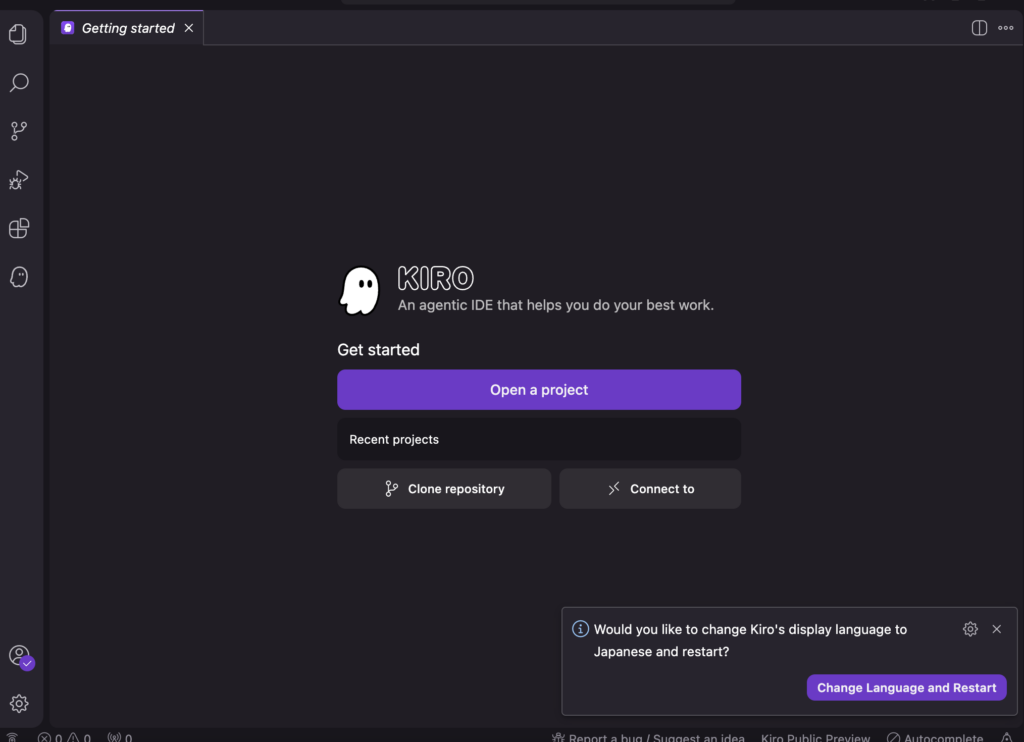
最後にShellで使えるようにするかを聞かれるので、こちらも好きな方を選んでおきます。3つの設定が終わると下記のような画面に変わり、Kiroの準備が終わります。
また、KiroはデフォルトでUIが英語表示です。日本語で使いたい場合は、拡張機能から「Japanese Language Pack for Visual Studio Code」をインストールしましょう。インストール後、右下に表示される「Change Language and Restart」をクリックすれば、日本語UIに切り替わります。
AIの応答を日本語にしたい場合は、Steeringファイル(.kiro/steering/内)に「回答は日本語で行ってください」と記述しておくのがおすすめです。
プロンプト入力
ではKiroの準備が終わったのでプロンプトを入力して実行してみましょう。
今回入力するプロンプトはこちら。
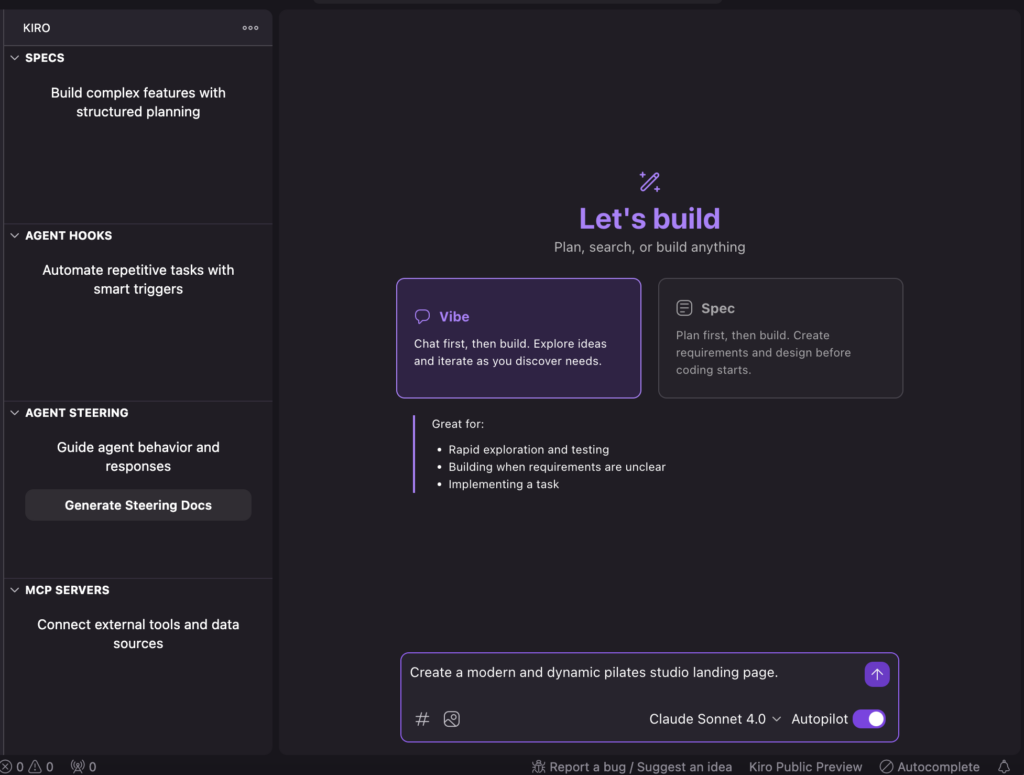
プロンプト入力はこれで完了です。紫色の上矢印をクリックすれば開発を進めてくれます。
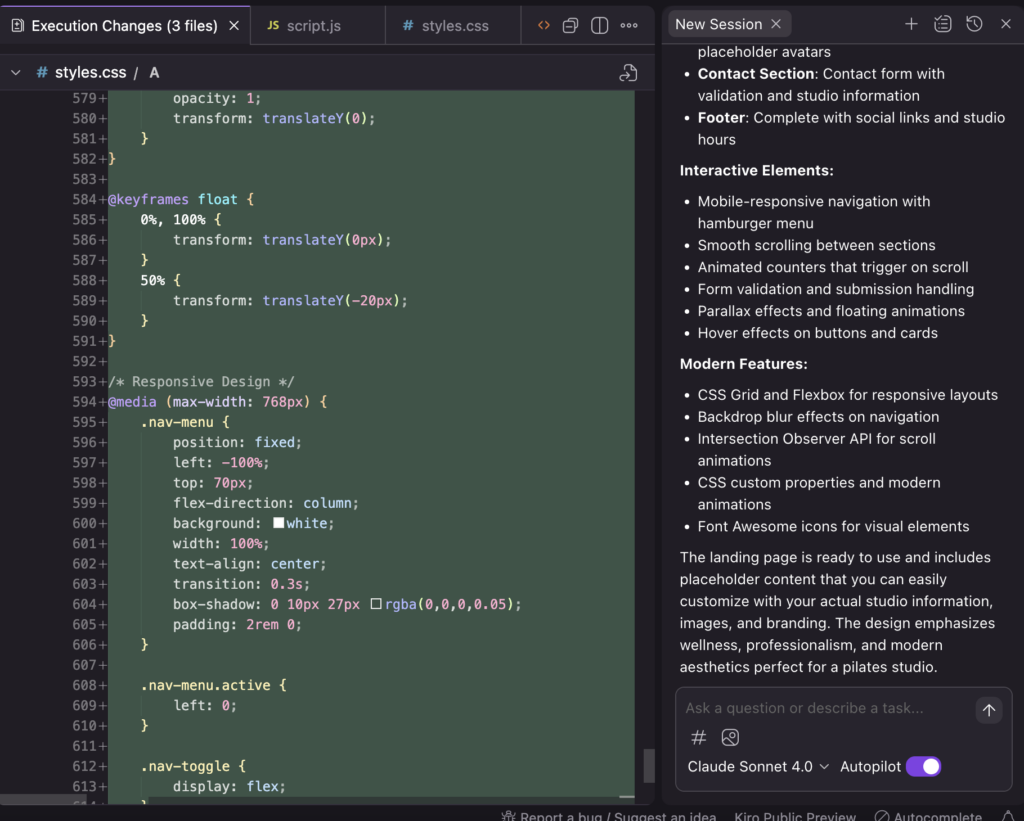
動作確認
では実際に作ってもらったものが動くのかを確認してみます。イメージしている動的なLPになっていました。
Kiroを実際に使ってみた
ここからはもう少しKiroを使ってみたいと思います。Vibeモード、Specモードともに使ってみます。Specモードで生成したものを元にVibeモードで開発してもらおうと思います。
Specモード
デモと同じようにSpecモードに「Create a modern and dynamic pilates studio landing page.」とプロンプトを投げます。
まず最初に「Requirement」が生成され、問題なければ「design」の生成、最後に「task」がリスト化されます。
Requirementはこちら
# Requirements Document

## Introduction

This feature involves creating a modern and dynamic landing page for a pilates studio. The landing page will serve as the primary entry point for potential clients, showcasing the studio's services, instructors, and atmosphere while encouraging visitors to book classes or contact the studio. The page should be visually appealing, responsive, and optimized for conversion.

## Requirements

### Requirement 1

**User Story:** As a potential pilates client, I want to see an engaging hero section when I first visit the site, so that I immediately understand what the studio offers and feel motivated to explore further.

#### Acceptance Criteria

1. WHEN a user visits the landing page THEN the system SHALL display a hero section with compelling imagery and clear value proposition
2. WHEN a user views the hero section THEN the system SHALL include a prominent call-to-action button for booking or getting started
3. WHEN a user sees the hero section THEN the system SHALL display the studio name and tagline prominently

### Requirement 2

**User Story:** As a potential client, I want to learn about the pilates classes and services offered, so that I can determine if the studio meets my fitness needs.

#### Acceptance Criteria

1. WHEN a user scrolls to the services section THEN the system SHALL display different class types with descriptions
2. WHEN a user views service offerings THEN the system SHALL include pricing information or pricing tiers
3. WHEN a user explores services THEN the system SHALL highlight unique selling points and benefits of each class type

### Requirement 3

**User Story:** As a potential client, I want to see information about the instructors, so that I can feel confident about the quality of instruction I'll receive.

#### Acceptance Criteria

1. WHEN a user views the instructors section THEN the system SHALL display instructor profiles with photos and credentials
2. WHEN a user reads instructor information THEN the system SHALL include brief bios highlighting experience and specializations
3. WHEN a user explores instructor profiles THEN the system SHALL showcase certifications and qualifications

### Requirement 4

**User Story:** As a potential client, I want to easily find contact information and studio location, so that I can visit or reach out with questions.

#### Acceptance Criteria

1. WHEN a user looks for contact information THEN the system SHALL display phone number, email, and physical address
2. WHEN a user needs location details THEN the system SHALL include an embedded map or location directions
3. WHEN a user wants to contact the studio THEN the system SHALL provide multiple contact methods including a contact form

### Requirement 5

**User Story:** As a potential client, I want to see social proof and testimonials, so that I can trust the quality of the studio and its services.

#### Acceptance Criteria

1. WHEN a user views testimonials THEN the system SHALL display client reviews with names and photos where available
2. WHEN a user explores social proof THEN the system SHALL include ratings or review scores
3. WHEN a user reads testimonials THEN the system SHALL highlight specific benefits and transformations clients experienced

### Requirement 6

**User Story:** As a mobile user, I want the landing page to work seamlessly on my device, so that I can easily browse and book classes on the go.

#### Acceptance Criteria

1. WHEN a user accesses the site on mobile THEN the system SHALL display a fully responsive design that adapts to screen size
2. WHEN a user navigates on mobile THEN the system SHALL provide touch-friendly buttons and navigation elements
3. WHEN a user views content on mobile THEN the system SHALL maintain readability and visual hierarchy across all sections

### Requirement 7

**User Story:** As a potential client, I want smooth and engaging animations and interactions, so that the browsing experience feels modern and professional.

#### Acceptance Criteria

1. WHEN a user scrolls through the page THEN the system SHALL include subtle animations that enhance the user experience
2. WHEN a user hovers over interactive elements THEN the system SHALL provide visual feedback through transitions or effects
3. WHEN a user navigates the page THEN the system SHALL ensure animations are smooth and don't impact performance

### Requirement 8

**User Story:** As a potential client, I want to easily book a class or schedule a consultation, so that I can quickly take action after being convinced by the landing page.

#### Acceptance Criteria

1. WHEN a user wants to book a class THEN the system SHALL provide clear and prominent booking call-to-action buttons
2. WHEN a user clicks to book THEN the system SHALL either integrate with a booking system or provide clear next steps
3. WHEN a user is ready to commit THEN the system SHALL offer multiple conversion paths (book class, schedule consultation, contact form)
designはこちら
# Design Document

## Overview

The pilates studio landing page will be a single-page application featuring a modern, clean aesthetic that reflects the mindful and sophisticated nature of pilates practice. The design will emphasize visual storytelling through high-quality imagery, smooth animations, and a calming color palette while maintaining strong conversion-focused elements.

## Architecture

### Technology Stack
- **HTML5**: Semantic markup for accessibility and SEO
- **CSS3**: Modern styling with CSS Grid, Flexbox, and CSS animations
- **Vanilla JavaScript**: Lightweight interactions and scroll animations
- **Responsive Design**: Mobile-first approach with breakpoints at 768px, 1024px, and 1200px

### Page Structure
The landing page will follow a single-page scroll design with the following sections:
1. Header with navigation
2. Hero section
3. Services/Classes section
4. About/Studio section
5. Instructors section
6. Testimonials section
7. Contact section
8. Footer

## Components and Interfaces

### Header Component
- **Sticky navigation bar** with studio logo and minimal menu items
- **Mobile hamburger menu** for responsive navigation
- **Transparent background** that becomes solid on scroll
- **Smooth scroll navigation** to page sections

### Hero Section
- **Full-viewport height** with background video or high-quality image
- **Centered content overlay** with studio name, tagline, and primary CTA
- **Subtle parallax effect** on background elements
- **Animated text entrance** with staggered timing

### Services Grid
- **Card-based layout** showcasing different class types
- **Hover effects** revealing additional information
- **Pricing badges** or "From $X" indicators
- **Icon integration** for visual hierarchy

### Instructor Profiles
- **Circular profile images** with hover overlay effects
- **Modal or expandable cards** for detailed bios
- **Credential badges** and certification displays
- **Social media links** where applicable

### Testimonials Carousel
- **Rotating testimonial cards** with client photos
- **Star rating displays** and review highlights
- **Auto-play with manual controls** for user preference
- **Fade or slide transitions** between testimonials

### Contact Section
- **Split layout** with contact form and studio information
- **Embedded Google Maps** integration
- **Contact method icons** (phone, email, location)
- **Form validation** with real-time feedback

## Data Models

### Studio Information
```javascript
const studioData = {
  name: "Studio Name",
  tagline: "Transform Your Body, Mind & Spirit",
  contact: {
    phone: "+1 (555) 123-4567",
    email: "hello@pilatesstudio.com",
    address: "123 Wellness Street, City, State 12345"
  },
  socialMedia: {
    instagram: "@pilatesstudio",
    facebook: "PilatesStudioName"
  }
}
```

### Class/Service Data
```javascript
const services = [
  {
    id: 1,
    name: "Reformer Pilates",
    description: "Equipment-based classes for strength and flexibility",
    price: "From $35",
    icon: "reformer-icon",
    features: ["Small groups", "All levels", "Equipment provided"]
  },
  // Additional service objects...
]
```

### Instructor Data
```javascript
const instructors = [
  {
    id: 1,
    name: "Instructor Name",
    image: "instructor1.jpg",
    bio: "Brief bio highlighting experience",
    certifications: ["PMA Certified", "500hr Yoga Teacher"],
    specialties: ["Rehabilitation", "Athletic Performance"]
  },
  // Additional instructor objects...
]
```

### Testimonial Data
```javascript
const testimonials = [
  {
    id: 1,
    name: "Client Name",
    image: "client1.jpg",
    rating: 5,
    text: "Testimonial content...",
    classType: "Reformer Pilates"
  },
  // Additional testimonial objects...
]
```

## Error Handling

### Image Loading
- **Lazy loading** implementation for performance
- **Fallback images** for broken or missing assets
- **Loading states** with skeleton screens or spinners
- **Progressive image enhancement** for different screen densities

### Form Validation
- **Client-side validation** with immediate feedback
- **Error message display** with clear, helpful text
- **Success states** with confirmation messaging
- **Graceful degradation** for JavaScript-disabled browsers

### Animation Performance
- **Reduced motion preferences** respect for accessibility
- **Performance monitoring** to prevent janky animations
- **Fallback static states** for older browsers
- **Intersection Observer** for efficient scroll-triggered animations

## Testing Strategy

### Responsive Testing
- **Cross-device testing** on mobile, tablet, and desktop
- **Browser compatibility** testing across major browsers
- **Performance testing** with Lighthouse audits
- **Accessibility testing** with screen readers and keyboard navigation

### User Experience Testing
- **Conversion funnel analysis** for booking flow optimization
- **A/B testing** for CTA button placement and copy
- **Heat mapping** to understand user interaction patterns
- **Load time optimization** for improved user retention

### Content Testing
- **Image optimization** for web delivery
- **Copy readability** and engagement metrics
- **SEO optimization** with proper meta tags and structured data
- **Social media preview** testing for sharing functionality

## Visual Design System

### Color Palette
- **Primary**: Soft sage green (#8FBC8F) for calm, natural feeling
- **Secondary**: Warm beige (#F5F5DC) for warmth and comfort
- **Accent**: Deep charcoal (#36454F) for text and contrast
- **Neutral**: Pure white (#FFFFFF) for clean backgrounds

### Typography
- **Headings**: Modern serif font (Playfair Display) for elegance
- **Body text**: Clean sans-serif (Inter) for readability
- **Accent text**: Light script font for quotes and highlights

### Animation Principles
- **Subtle and purposeful** - animations enhance rather than distract
- **Consistent timing** - 0.3s for quick interactions, 0.6s for page transitions
- **Easing functions** - ease-out for natural feeling movement
- **Scroll-triggered** - elements animate in as they enter viewport

### Layout Principles
- **Generous whitespace** for breathing room and focus
- **Asymmetrical balance** for visual interest
- **Strong visual hierarchy** through size, color, and positioning
- **Grid-based alignment** for consistency and professionalism
taskはこちら
# Implementation Plan

- [ ] 1. Set up project structure and base HTML
  - Create semantic HTML structure with all main sections
  - Set up proper meta tags, viewport settings, and accessibility attributes
  - Include placeholder content for all sections
  - _Requirements: 1.1, 6.1, 6.3_

- [ ] 2. Implement responsive CSS foundation
  - Create CSS reset and base styles
  - Set up CSS custom properties for design system (colors, typography, spacing)
  - Implement mobile-first responsive grid system using CSS Grid and Flexbox
  - _Requirements: 6.1, 6.2, 6.3_

- [ ] 3. Build header and navigation component
  - Code sticky header with logo and navigation menu
  - Implement mobile hamburger menu with smooth toggle animations
  - Add transparent-to-solid background transition on scroll
  - Create smooth scroll navigation to page sections
  - _Requirements: 1.3, 6.2, 7.1, 7.2_

- [ ] 4. Create hero section with dynamic elements
  - Implement full-viewport hero section with background image/video support
  - Code centered content overlay with studio name, tagline, and primary CTA button
  - Add subtle parallax scrolling effect for background elements
  - Implement staggered text animation entrance effects
  - _Requirements: 1.1, 1.2, 1.3, 7.1, 7.3_

- [ ] 5. Build services/classes section
  - Create responsive card grid layout for different class types
  - Implement hover effects that reveal additional service information
  - Add pricing display and feature highlights for each service
  - Include service icons and visual hierarchy elements
  - _Requirements: 2.1, 2.2, 2.3, 7.2_

- [ ] 6. Implement instructor profiles section
  - Code instructor profile cards with circular images and hover effects
  - Create modal or expandable card functionality for detailed bios
  - Display certifications, credentials, and specialties
  - Add social media links and contact information where applicable
  - _Requirements: 3.1, 3.2, 3.3, 7.2_

- [ ] 7. Create testimonials carousel component
  - Build rotating testimonial cards with client photos and reviews
  - Implement star rating displays and review highlights
  - Add auto-play functionality with manual navigation controls
  - Create smooth fade or slide transitions between testimonials
  - _Requirements: 5.1, 5.2, 5.3, 7.1_

- [ ] 8. Build contact section with form and map
  - Create split layout with contact form and studio information
  - Implement contact form with real-time validation and error handling
  - Add embedded Google Maps integration for studio location
  - Display contact methods with icons (phone, email, location)
  - _Requirements: 4.1, 4.2, 4.3_

- [ ] 9. Add scroll-triggered animations and interactions
  - Implement Intersection Observer for scroll-triggered animations
  - Add fade-in and slide-up animations for sections as they enter viewport
  - Create smooth hover transitions for interactive elements
  - Ensure animations respect reduced motion preferences for accessibility
  - _Requirements: 7.1, 7.2, 7.3_

- [ ] 10. Implement booking and conversion functionality
  - Add prominent booking CTA buttons throughout the page
  - Create booking modal or redirect functionality for class scheduling
  - Implement multiple conversion paths (book class, consultation, contact form)
  - Add click tracking and conversion optimization elements
  - _Requirements: 8.1, 8.2, 8.3_

- [ ] 11. Optimize performance and add error handling
  - Implement lazy loading for images and optimize image delivery
  - Add fallback images and loading states for better user experience
  - Create error handling for form submissions and API calls
  - Optimize CSS and JavaScript for faster load times
  - _Requirements: 6.1, 7.3_

- [ ] 12. Add final polish and cross-browser testing
  - Test responsive design across different devices and screen sizes
  - Verify cross-browser compatibility and add necessary polyfills
  - Implement SEO optimization with proper meta tags and structured data
  - Add final accessibility improvements and keyboard navigation support
  - _Requirements: 6.1, 6.2, 6.3_
これらが出力されるまでに大体3分くらいでした。この情報量で3分なら許容範囲内かと思います。
Vibeモード
上記で作成してもらった情報を元にVibeモードで実際にLPを作ってもらいます。
Task2までは無事に完了しましたが、リクエストが多すぎてtask3は完了することができませんでした。これはクレジットの消費上限に達したためと考えられます。Freeプランの場合は月50クレジット(+初回ボーナス500クレジット)が上限となるため、大規模なタスク実行には有料プランの検討が必要になります。
一応タスク2までで完成したLPはこちらです。
最初にデモで行ったLPに構成は似ていますが、デザインは異なっていて、画像とかを差し替えればそのまま使えそうです。
Kiroに関するよくある質問
最後に、Kiroに関して多くの方が気になるであろう質問とその回答をご紹介します。
Kiroを活用して仕様駆動開発を体験しよう!
本記事ではKiroの概要から、導入手順、実際の使い方について解説しました。
2025年11月のGA以降、Autoエージェントの導入やモデルの刷新など継続的にアップデートが進んでおり、プレビュー期に課題だった実装速度も改善されています。
Freeプランなら初回500ボーナスクレジットですぐに試せるので、仕様駆動開発に興味がある方はぜひ体験してみてください。

最後に
いかがだったでしょうか?
Kiroを導入してみたい方、業務への活用方法を知りたい方はお気軽にご相談ください。
株式会社WEELは、自社・業務特化の効果が出るAIプロダクト開発が強みです!
開発実績として、
・新規事業室での「リサーチ」「分析」「事業計画検討」を70%自動化するAIエージェント
・社内お問い合わせの1次回答を自動化するRAG型のチャットボット
・過去事例や最新情報を加味して、10秒で記事のたたき台を作成できるAIプロダクト
・お客様からのメール対応の工数を80%削減したAIメール
・サーバーやAI PCを活用したオンプレでの生成AI活用
・生徒の感情や学習状況を踏まえ、勉強をアシストするAIアシスタント
などの開発実績がございます。
生成AIを活用したプロダクト開発の支援内容は、以下のページでも詳しくご覧いただけます。 ︎株式会社WEELのサービスを詳しく見る。
まずは、「無料相談」にてご相談を承っておりますので、ご興味がある方はぜひご連絡ください。︎生成AIを使った業務効率化、生成AIツールの開発について相談をしてみる。

「生成AIを社内で活用したい」「生成AIの事業をやっていきたい」という方に向けて、生成AI社内セミナー・勉強会をさせていただいております。
セミナー内容や料金については、ご相談ください。
また、サービス紹介資料もご用意しておりますので、併せてご確認ください。